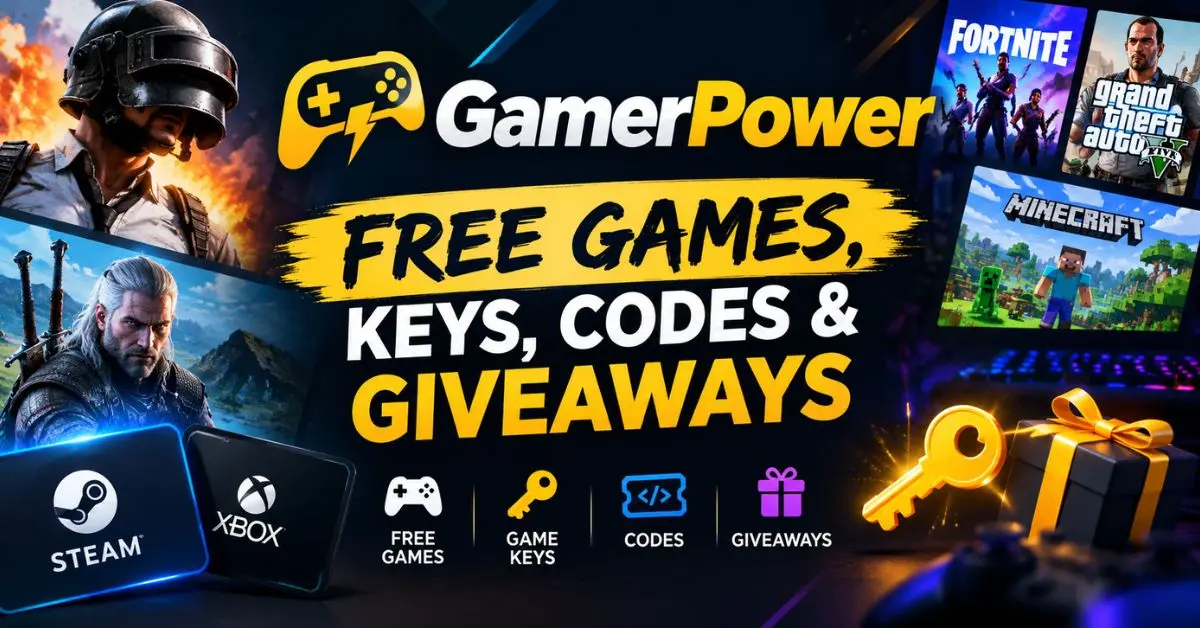
Finding legitimate free games can be surprisingly difficult. Giveaways expire quickly, free offers may be limited by platform, and some “free key” websites are not trustworthy. GamerPower free games brings many of these offers together so gamers can check current giveaways, game keys, DLC, beta access, in-game rewards, and promotional codes in one place.
GamerPower currently organizes giveaways across platforms such as Steam, Epic Games Store, GOG, itch.io, Xbox, PlayStation, Nintendo, Android, iOS, and DRM-free games. Its listings can include full games as well as DLC, in-game loot, beta access, and other limited-time rewards.
The important part is knowing what type of free offer you are getting, where it must be redeemed, whether it expires, and whether there are additional requirements. A free game and a free DLC key may look similar in a listing, but they do not provide the same thing.
This guide explains how GamerPower works, what you can find there, how to claim offers, how to use its platform filters, and what to check before spending time on a giveaway.
What Is GamerPower?
GamerPower is a gaming giveaway tracker that collects free-game and gaming-reward opportunities from different publishers, developers, platforms, and giveaway sources.
Its official website describes the service as a place to find free games, game keys, in-game loot, beta keys, and limited-time offers across PC, consoles, mobile, and other gaming platforms. It also lists promotional opportunities such as discount codes, gift cards, bundles, software, and digital services.
Instead of manually checking numerous gaming websites every day, you can use GamerPower to discover offers through a centralized listing.
That does not mean every item is identical. A listing can represent:
- A complete game
- A Steam key
- A DLC item
- In-game currency
- A skin or cosmetic
- A promotional code
- Beta or playtest access
- A temporary free-to-play-related reward
- A limited-time download
- A platform-specific giveaway
Understanding this difference is one of the easiest ways to avoid disappointment.
What Can You Find on GamerPower?
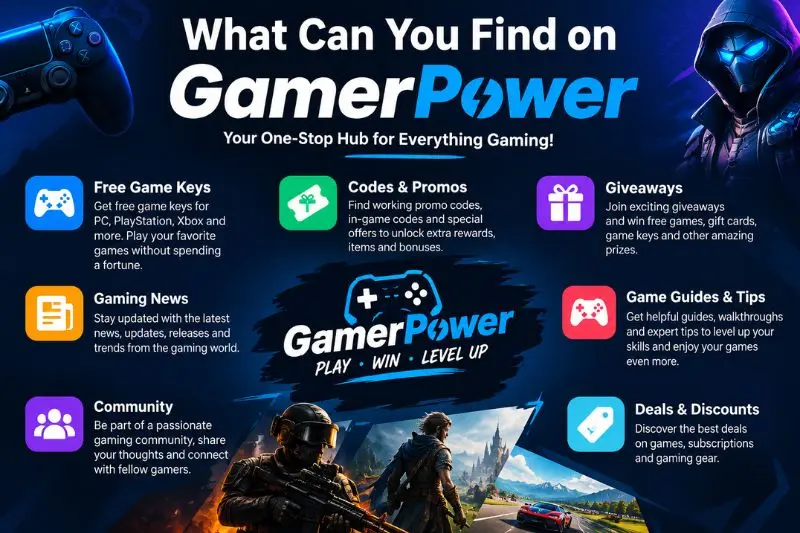
GamerPower covers considerably more than free PC games.
Its current categories include free games, free loot, and beta access, while platform filters cover services and devices including Steam, Epic Games Store, GOG, itch.io, Xbox, PlayStation, Nintendo, Android, iOS, and DRM-free platforms.
Free Full Games
These are giveaways where you can claim a complete game rather than simply receiving an accessory or bonus.
For example, current GamerPower listings have included full-game offers distributed through GOG, Epic Games Store, IndieGala, Steam, and other platforms. The exact selection changes as promotions start and expire.
A particularly useful detail is whether the game becomes permanently associated with your account after claiming it or whether the offer only provides temporary access.
Always read the individual giveaway instructions.
Free Steam Keys
Steam-related offers are one of the major categories on GamerPower.
The Steam section separates full games from DLC and beta-access offers. At the time of research, its listings included Steam keys, DLC giveaways, playtests, and promotional codes.
Some Steam key offers have additional conditions. For example, certain listings require Arena Reward Points (ARP) before a key can be claimed. GamerPower explains those requirements directly within the listing rather than treating every offer as a simple one-click download.
That distinction matters when you are searching specifically for “free Steam keys.”
Free DLC and In-Game Loot
Not every free gaming offer is a complete game.
GamerPower also tracks DLC, skins, cosmetic items, currency, bundles, upgrades, and other in-game rewards. Its app description specifically mentions free in-game loot, promo codes, currency, DLC, and premium upgrades.
A giveaway might therefore give you:
- A character skin
- A weapon skin
- An in-game currency bundle
- A starter pack
- A cosmetic item
- A DLC expansion
- A bonus pack
- A promotional reward
If you only want complete games, use the appropriate giveaway-type or platform filters rather than assuming every “FREE” listing is a full game.
Beta Keys and Playtests
GamerPower also tracks beta access and playtests.
These offers are different from permanent game giveaways because they may provide access to an unfinished or limited version of a game for a specific testing period.
The GamerPower beta section includes examples of closed betas, open betas, alpha tests, and playtests.
A beta key can be valuable if you want to try an upcoming game early, but it should not be confused with receiving the finished game permanently.
Free Codes
Some offers use a code rather than a conventional game key.
For example, GamerPower lists promotional rewards such as in-game codes and gift codes. One example tracked by the site is an Elder Scrolls Online reward code that provides in-game items.
These codes may need to be entered directly into a game’s official redemption system rather than Steam, Epic Games Store, or another store.
How to Find GamerPower Free Games
The simplest way to use GamerPower is to start with the complete giveaway list and then narrow it down.
The site provides filters for platforms and giveaway types, allowing you to focus on the offers that actually work with your gaming setup.
A practical approach is:
- Open the GamerPower giveaway listings.
- Select your preferred platform.
- Choose the type of giveaway you want.
- Review the available offers.
- Open an individual listing.
- Check the expiration date and requirements.
- Follow the official claim or redemption instructions.
- Confirm that the reward has been added to the correct account or game.
This is much more efficient than opening every giveaway individually.
How to Filter GamerPower Giveaways
The platform filters are particularly useful if you only play on one system.
For example, Steam users can focus on Steam listings instead of scrolling through Xbox, PlayStation, mobile, and other offers.
GamerPower currently provides platform options including:
- PC
- Steam
- Epic Games Store
- itch.io
- GOG
- Xbox
- PlayStation
- Nintendo
- Android
- iOS
- DRM-Free
- VR
- All Platforms
The available filters can change with the site’s organization, but the basic purpose remains the same: **reduce irrelevant giveaways and surface offers that match your platform.
You can also filter by giveaway type, including:
- Free Games
- Free Loot
- Beta Access
And listings can be sorted using options such as release date, value and rarity, or popularity.
GamerPower Steam Giveaways
Steam is one of the most useful sections for PC gamers because the page separates Steam-related opportunities from giveaways on other platforms.
However, “Steam giveaway” does not automatically mean “free full game.”
The current Steam listings demonstrate several different categories. They include full games such as Dwarven Realms, DLC such as Fantasy Grounds content, and beta/playtest opportunities such as Chop Shop and Zero King.
Some listings also contain special redemption requirements.
For instance, GamerPower’s Dwarven Realms listing states that claiming the Steam key requires 10 ARP, while some DLC offers have the same type of requirement.
So before clicking Claim Game, check:
- Is it a complete game?
- Is it DLC?
- Is the base game required?
- Does it require a key?
- Are there ARP or other requirements?
- Is there limited stock?
- Is there an expiration date?
- Where exactly must the reward be redeemed?
Those few checks can save you from claiming something that is not what you expected.
GamerPower GOG Giveaways
GOG is another important category for gamers who prefer DRM-free titles.
GamerPower’s GOG section currently tracks free GOG games and giveaways, and its filters identify GOG separately from Steam, Epic Games Store, itch.io, and other platforms.
At the time of research, State of Mind was listed as a free GOG giveaway with a stated $19.99 value and an updated date of September 7, 2026.
The important lesson is that current giveaway pages can change rapidly. A game that appears today may disappear after the promotion ends, so always check the live listing before writing down or sharing a particular offer.
GamerPower Epic Games Store Giveaways
GamerPower also tracks free offers associated with the Epic Games Store.
The PC listings show examples of Epic giveaways alongside Steam, GOG, IndieGala, itch.io, and other platforms. For example, Alone With You was listed as a free Epic Games Store giveaway during the research period.
When using an Epic Games giveaway, pay attention to the platform shown on the listing.
A free game being advertised through GamerPower does not necessarily mean the game is redeemed on GamerPower itself. GamerPower functions as a tracker and discovery service; the actual reward is generally claimed through the relevant platform or publisher.
Are GamerPower Free Games Really Free?
Yes, GamerPower lists genuine free promotions, but “free” can mean different things depending on the giveaway.
A full-game giveaway may provide a game at no purchase price during a promotional period. Other offers may provide free DLC, beta access, an in-game item, or a code.
Some giveaways can also have requirements.
For example, the current Steam listings include giveaways that require ARP to claim certain keys, while other listings simply direct users to claim the offer.
So the better question is not simply:
“Is this free?”
Instead ask:
“What exactly am I getting, where do I redeem it, and what conditions apply?”
That is the difference between finding a useful giveaway and wasting time on an offer that does not fit your needs.
How to Claim a Free Game Through GamerPower
GamerPower generally acts as the discovery layer rather than the store where you permanently own every game.
The exact process varies by giveaway, but the normal flow is straightforward.
Step 1: Find a Current Giveaway
Start with the current giveaway list and filter it by platform or giveaway type.
If you want complete PC games, for example, the PC free-games page can narrow the selection. GamerPower’s current PC page lists full games and other giveaway categories and identifies the relevant platform for each item.
Step 2: Open the Individual Listing
Do not rely only on the title.
Open the giveaway page and read the description because important conditions can appear there.
Look for:
- Platform
- Giveaway type
- Value
- Expiration
- Redemption method
- Account requirements
- Base-game requirements
- Limited-stock notices
- Region restrictions, if applicable
Step 3: Select the Claim Option
The button may say Claim Game, Claim Loot, or Claim Offer, depending on what is being distributed.
The wording itself can help identify whether you are claiming a complete game, an item, or another type of reward.
Step 4: Complete the Official Redemption
Follow the instructions supplied for that specific promotion.
If the giveaway provides a Steam key, you may need to redeem the key through Steam. If it is a GOG giveaway, the redemption process will generally involve GOG. A promotional code may instead need to be entered through the publisher’s official redemption page.
Step 5: Confirm Your Reward
After redemption, check the relevant game library or account.
Do not assume that simply clicking a giveaway page means the reward has already been added to your account.
Why GamerPower Giveaways Expire
Free gaming promotions are usually temporary because the publisher, developer, retailer, or promotional partner controls the offer.
GamerPower’s listings visibly identify expired giveaways, and its pages may contain both active and historical offers.
This historical information can be useful, but it can also cause confusion if you are looking for something you can claim right now.
Before attempting to redeem an offer, look for a current status or remaining time.
A listing marked Expired should not be treated as a current free game even if the page remains accessible.
How to Avoid Missing New GamerPower Giveaways
The biggest challenge with free games is often timing.
A giveaway can become available while you are away from your computer and disappear before you check again.
GamerPower offers several ways to stay updated. Its website includes a free-alert option, while its app description says users can use filters, recommendations, and tracking features to discover live giveaways more easily.
A simple routine works well:
Check → Filter → Verify → Claim → Confirm
You do not need to browse every category every day.
If you mainly use Steam, focus on Steam. If you prefer DRM-free games, concentrate on GOG and DRM-free listings. If you want upcoming titles, check beta and playtest offers.
The goal is not to claim everything.
How to Use GamerPower Alerts Effectively
If you regularly look for free games, checking the site manually is not always the most efficient option. GamerPower provides a Create Free Alert option on its giveaway pages, while its app supports personalized tracking and notifications.
The advantage of an alert system is simple: you can focus on the platforms and types of rewards you actually care about instead of monitoring every giveaway.
For example, a PC gamer who mainly uses Steam might prioritize:
- Free Steam games
- Steam keys
- Steam DLC
- Beta access
- Limited-time promotions
Someone who plays across several platforms may want broader alerts.
The best setup depends on how often you claim games. If you only want complete games, avoid filling your notifications with every DLC and promotional reward.
Is GamerPower Safe to Use?
GamerPower states that it connects users with giveaways from official publishers, developers, platforms, and authorized third-party sources. The site also says it monitors and selects giveaways according to its safety and quality standards.
That makes GamerPower useful as a discovery and tracking service, but normal online safety practices still matter.
A giveaway being listed on a tracker does not mean you should blindly enter personal information on every external page.
Before claiming an offer, check the destination and the requirements.
Check the Redemption Destination
Pay attention to where the Claim Game or Claim Loot button takes you.
A legitimate promotion may send you to a game store, publisher website, or authorized giveaway provider. GamerPower says its giveaways can come directly from official developers and publishers as well as authorized third-party websites.
Be more cautious when a page:
- Requests unnecessary personal information
- Asks for payment for something advertised as free
- Requests your gaming password directly
- Uses suspicious redirects
- Makes unrealistic promises
- Requires unrelated software downloads
- Has unclear ownership or redemption instructions
Never give your Steam, Epic Games, PlayStation, Xbox, or other gaming password to a giveaway page simply because it claims to offer a free game.
GamerPower App for Android and iPhone
If you want to track giveaways from your phone, GamerPower also has mobile applications.
The Android listing describes features for finding free games and keys across PC, PlayStation, Xbox, and other platforms. It also includes tracking for in-game loot, promo codes, currency, DLC, premium upgrades, early-access opportunities, and special offers.
The iOS listing similarly describes GamerPower as an app for finding, tracking, and collecting gaming giveaways, including free games, Steam keys, beta keys, and in-game loot.
A mobile app can be particularly useful for people who do not want to keep a browser tab open throughout the day.
Instead of remembering to check manually, you can use the app as another way to monitor new opportunities.
GamerPower API
GamerPower is not only designed for individual gamers. It also provides an API for developers who want to access giveaway information programmatically.
According to GamerPower’s API documentation, the API provides access to free games, in-game loot, and giveaways through HTTP requests. The documentation states that the API is free, requires no authentication, and requires attribution to GamerPower.
This can be useful for developers building:
- Giveaway websites
- Gaming dashboards
- Discord bots
- Telegram bots
- Notification systems
- Deal trackers
- Gaming applications
- Automated giveaway feeds
The API is therefore a separate use case from simply browsing the GamerPower website.
If you are an ordinary gamer looking for free games, you do not need to understand the API. The regular website and mobile apps are designed for that purpose.
What Is the Difference Between a Free Game and a Free Key?
This is one of the most important distinctions to understand.
A free game giveaway means the promotion gives you access to a complete game.
A free game key means you receive a code that must normally be redeemed on a particular platform.
The end result can be similar, but the claiming process is different.
For example, a GamerPower listing may tell you to download a game directly from a particular service, while another listing may explicitly provide a Steam key. Current listings demonstrate both formats.
There is also a third category: free loot.
That may provide DLC, a starter pack, cosmetics, currency, or another digital reward without giving you the complete game.
Before claiming anything, identify the listing type.
| Offer type | What you receive |
|---|---|
| Free Game | A complete game |
| Steam Key | A key intended for Steam redemption |
| DLC | Additional content for a game |
| Free Loot | In-game items or bonuses |
| Beta Access | Access to a test or early version |
| Promo Code | A code that unlocks a specified reward |
This small distinction makes GamerPower much easier to navigate.
Can You Keep a GamerPower Free Game Forever?
Sometimes yes, but it depends on the individual promotion.
For example, the current State of Mind GOG listing explicitly says that the game can be claimed through GOG and kept forever.
But not every free gaming offer works that way.
A beta test may only provide temporary access. An in-game promotion may provide a consumable reward rather than ownership of a game. A free trial can have completely different conditions.
Therefore, never assume that every item labeled “FREE” becomes a permanent addition to your library.
Read the individual giveaway description before claiming it.
What Does “Claimed” Mean on GamerPower?
GamerPower displays claim counts on many listings.
For example, current giveaway pages show numbers such as 12,150+ claimed, 40,150+ claimed, and 253,640+ claimed for different offers.
These figures can help show that other users have interacted with a giveaway, but they should not be interpreted as a guarantee that the promotion will work for you.
A high claim count does not necessarily mean:
- The giveaway is still available everywhere
- Unlimited keys remain
- The offer works in your country
- You automatically qualify
- The game is compatible with your platform
Treat claim counts as contextual information rather than proof that an offer is suitable for your account.
How to Check Whether a Giveaway Is Still Active
Giveaway status can change quickly.
GamerPower’s listings display time information for some active promotions and identify expired offers separately. The current all-giveaways page, for example, contains both active offers with remaining time and listings marked expired.
Before clicking through, check:
1. Remaining time
Look for an expiration indicator or remaining duration.
2. Giveaway status
Make sure the listing is still active rather than expired.
3. Stock or availability
Some key-based promotions can have limited availability.
4. Platform
Confirm that the offer works with your preferred platform.
5. Region
Some promotions may not be available in every country.
6. Requirements
Check whether you need a base game, points, an account, or another prerequisite.
This is particularly important with keys and DLC.
What Does ARP Mean on GamerPower Giveaways?
Some giveaways require ARP, or Arena Reward Points, before you can claim a key.
This requirement appears on certain current Steam listings. For example, the Dwarven Realms Steam giveaway currently states that 10 ARP are required, while the Fantasy Grounds Dragons NPC Dice Pack and Deadswitch Combat Vehicle Bundle listings also state a 10-ARP requirement.
The listing explains that ARP can be earned through activity such as logging into the relevant website.
The important takeaway is simple:
Free does not always mean zero requirements.
A giveaway can have a monetary price of $0 while still requiring an account, points, a base game, or another eligibility condition.
Why Some Free Games Need a Base Game
DLC is designed to work with an existing game.
If you claim a free DLC key but do not own the base game, the DLC may not be useful to you.
Current GamerPower listings provide examples of this. The Fantasy Grounds Dragons NPC Dice Pack and Deadswitch Combat Vehicle Bundle both state that the base game is required.
The same principle applies to other add-ons.
Before claiming free DLC, ask:
Do I already own the game that this content belongs to?
If the answer is no, the free DLC may simply sit unused in your account.
Are GamerPower Giveaways Available Worldwide?
Not necessarily.
Availability can depend on the publisher, platform, promotion, and region.
For example, the current GamerPower listing for Evan’s Remains notes that its mobile giveaway may not be available in all regions.
That is why gamers in different countries can sometimes see different results from the same promotion.
If an offer does not work, check:
- Your country or region
- The platform account region
- The promotion’s official terms
- The supported devices
- Whether the offer is limited geographically
A regional restriction does not automatically mean the giveaway is fake.
It may simply mean that the publisher did not make the promotion available everywhere.
How GamerPower Helps You Discover Expiring Offers
One of the biggest advantages of a dedicated giveaway tracker is that it puts time-sensitive promotions into one place.
The current GamerPower giveaway page displays the remaining time for various promotions and separates expired listings from active ones.
This is useful because free-game promotions can be easy to miss when they are spread across multiple stores.
Instead of checking:
- Steam
- Epic Games Store
- GOG
- itch.io
- IndieGala
- Console stores
- Mobile stores
- Publisher websites
individually, you can first use GamerPower as a discovery layer and then visit the appropriate source to complete the claim.
That workflow is faster and reduces the chance of overlooking a promotion.
How to Find the Best GamerPower Giveaways
“Best” is subjective.
One player may want expensive RPGs. Another may prefer short indie games. Someone else may only care about Steam keys.
Instead of judging a giveaway only by its displayed value, consider four factors.
1. Platform
A free PlayStation game is not useful if you only play on PC.
2. Game Type
Check whether it is a full game, DLC, beta, or in-game reward.
3. Redemption Requirements
An offer requiring several steps may be less convenient than a simple store claim.
4. Actual Interest
A $30 game you will never play is less valuable to you than a $5 game you genuinely wanted.
The best strategy is therefore not to maximize the number of claimed games.
It is to maximize the number of useful games and rewards you claim.
GamerPower vs Checking Game Stores Manually
GamerPower and individual game stores serve different purposes.
A store such as Steam or GOG is where you manage your game library and redeem eligible offers. GamerPower helps you discover promotions across multiple services.
That makes GamerPower particularly useful when you want to monitor several platforms at once.
| Method | Main advantage |
|---|---|
| GamerPower | Discover giveaways across multiple sources |
| Steam | Redeem and manage Steam games |
| Epic Games Store | Redeem and manage Epic games |
| GOG | Claim and manage GOG titles |
| itch.io | Discover and claim indie games |
| Publisher website | Access official promotions and codes |
A good workflow is to discover on GamerPower and verify or redeem through the relevant official platform.
Common Mistakes When Using GamerPower
Even experienced gamers can make mistakes when chasing free games.
Claiming Without Reading the Requirements
A listing may require a base game, ARP, an account, or another condition.
Always read the description first.
Confusing DLC With a Full Game
The word “FREE” can attract attention quickly.
Check the listing type before claiming.
Waiting Until the Last Minute
Limited-time promotions can expire while you are deciding whether to claim them.
If you genuinely want the game and the offer is legitimate, claiming it before the deadline is usually safer than waiting.
Ignoring the Platform
A free GOG game cannot simply be treated as a Steam game.
Check where the reward is intended to be redeemed.
Assuming Every Giveaway Is Permanent
Some offers provide temporary access, beta participation, or promotional items.
Read the terms of the individual giveaway.
Entering Information on Unfamiliar Pages
Follow the official redemption instructions and avoid providing unnecessary sensitive information.
A free game should not require you to hand over your gaming password to an unknown website.
Does GamerPower Cost Money?
The GamerPower service itself is designed around discovering free gaming giveaways.
Its official website promotes free access to tracked giveaways, while its API documentation states that the API is available without an API key and authentication.
However, individual promotions can have requirements.
For example, a Steam key may require ARP, while DLC can require ownership of the base game.
So there is an important distinction between:
Using GamerPower and qualifying for a particular giveaway.
The first can be free while the second may have specific eligibility conditions.
How to Get More Value From GamerPower
You do not need to claim every available giveaway.
A better strategy is to create a personal filter.
Start by choosing your preferred platforms.
Then decide which rewards matter to you:
- Complete games
- Steam keys
- GOG games
- DLC
- In-game currency
- Cosmetics
- Beta access
- Promotional codes
After that, ignore everything outside your criteria.
For example, a Steam-focused gamer could use this routine:
Steam filter → Free Games → Check expiry → Read requirements → Claim → Verify in Steam
A multi-platform gamer could instead monitor several platforms and use alerts to reduce manual checking.
This approach prevents your game library from becoming filled with titles you never intended to play.
FAQS
What is GamerPower?
GamerPower is a gaming giveaway tracker that helps users discover free games, game keys, DLC, in-game loot, beta keys, promotional codes, and other gaming offers across multiple platforms.
Is GamerPower legitimate?
GamerPower states that it connects users with legitimate giveaways from official publishers, developers, platforms, and authorized third-party sources. Individual promotions should still be checked for their requirements and redemption destination.
Can I get free Steam keys from GamerPower?
Yes. GamerPower tracks Steam key giveaways, although individual offers can have requirements such as ARP, a base game, limited availability, or other conditions.
Are GamerPower games permanently free?
It depends on the promotion. Some giveaways provide games that you can keep permanently after claiming, while other offers may provide DLC, beta access, temporary promotions, or other rewards. Always check the individual listing.
Does GamerPower offer Epic Games giveaways?
Yes. GamerPower tracks Epic Games Store giveaways alongside offers from Steam, GOG, itch.io, IndieGala, and other platforms.
Can I use GamerPower on mobile?
Yes. GamerPower has Android and iOS applications that help users find and track free games, keys, loot, and other gaming offers.
Does GamerPower have an API?
Yes. GamerPower provides a free API for accessing giveaway information programmatically. Its documentation says no API key or authentication is required, with attribution to GamerPower required.
Why can’t I claim a GamerPower giveaway?
The promotion may have expired, reached a limitation, require points or a base game, be restricted by region, or have another eligibility condition. Check the individual giveaway page carefully before assuming there is a technical problem.
CONCLUSION
GamerPower is most useful when you treat it as a centralized discovery and tracking tool for gaming freebies, rather than assuming every listing is simply a free full game.
The platform currently tracks a wide range of offers, including complete games, Steam keys, DLC, in-game loot, beta access, and promotional rewards across PC, consoles, and mobile platforms.
The smartest approach is straightforward: filter by your platform, identify the type of reward, check the requirements, verify the expiration date, and then redeem the offer through the appropriate service.